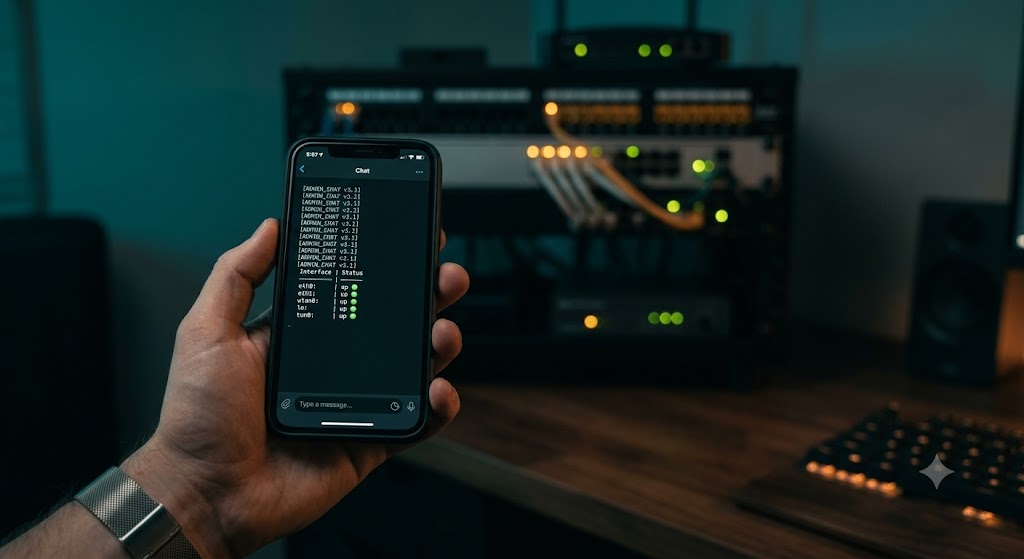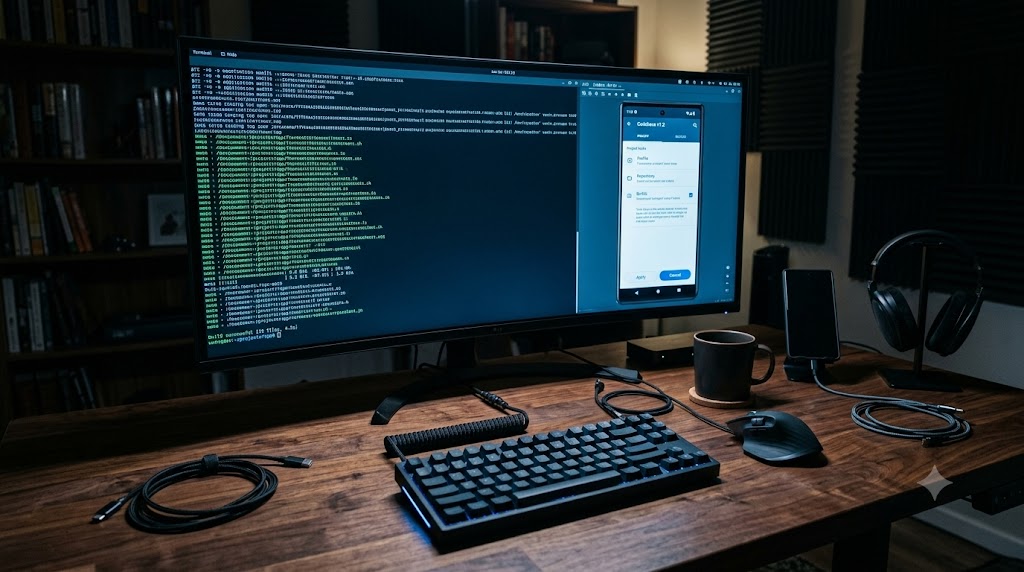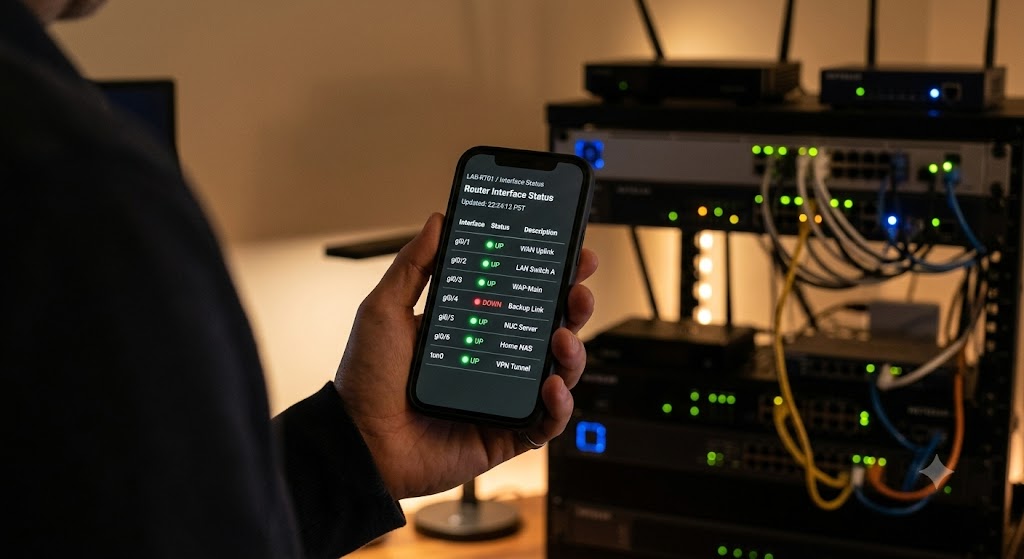
BISQUE: NetClaw gets a bookshelf — an offline, agentic RAG knowledge base

Ask a network AI agent about OSPF and it answers from training data. Ask it what’s on your network right now and — if it’s built right — it goes and looks. But ask it about your design document, the vendor install guide for your platform, the customer standard that says which BGP communities mean what in your shop, and until this week NetClaw had nothing to reach for.

That gap is now closed by BISQUE — the Base of Ingested Semantic Queries for Unified Embeddings — NetClaw’s fully offline, free, local document knowledge base. Yes, it’s a backronym. No, we’re not sorry: the tastiest thing you can make from claws is a bisque.

Four kinds of knowing

The design started from a distinction that sounds academic and turned out to be the whole feature. An agent has four knowledge sources, and they must never blur:

  1. What it knows — parametric knowledge from training. Fine for "what is OSPF."
  2. What is true right now — live MCP calls (pyATS, NetBox, and friends). The only acceptable source for current network state.
  3. What it has experienced — its own Memory MCP: facts it learned, decisions, session history.
  4. What it has been given — and this is the new one: documents users deliberately hand it. Install guides, RFCs, vendor configuration guides, design docs.

BISQUE holds only category four. It is physically separate from Memory — separate directory, separate database, separate tools — and neither system ever writes into the other. We rewrote NetClaw’s SOUL and skills so it can articulate which source a question calls for, and the validation suite checks the routing logs for zero cross-source violations.

Retrieval is a tool, not a pipeline

Most RAG you’ve seen is a pipeline: every question gets embedded, top-k chunks get stuffed into the prompt, generation proceeds whether the chunks helped or not. BISQUE’s retrieval is agentic: rag_search is a tool the agent chooses to call — or not — and it can critique its own results and re-query, bounded by an explicit three-round budget so it can’t spiral. Under the hood it’s hybrid search — dense vectors in ChromaDB plus BM25 keyword scoring, fused and reranked by a local cross-encoder — because networking documents are full of exact tokens (router bgp 65001, part numbers, RFC numbers) that pure semantic search fumbles.

Two rules keep it honest. Every claim that comes from a retrieved document carries a citation — title, section, page, ingest date — and a claim it can’t cite, it doesn’t make from BISQUE. And when the corpus simply doesn’t contain the answer, NetClaw says so. Honest misses over hallucinated hits, 100% of the time.

Free and offline, on purpose

No cloud embedding APIs, no paid rerankers, no hosted vector database. Local embedding models, local reranking, everything under one directory. After the initial model download the whole thing works air-gapped — which matters to exactly the kind of network operators NetClaw is for. Ingestion takes PDFs, modern Office formats, HTML, and URLs; a LibreOffice fallback handles the legacy .doc/.xls fossils every enterprise still has. Users own the corpus: every document is listable, inspectable, deletable, re-indexable.

There’s one carefully fenced exception to "documents only": an opt-in snapshot tool can vectorize a chosen piece of live network output into a timestamped collection — for "compare this to last month" workflows — but it is never automatic, never in a heartbeat, and its age is always displayed. Live state stays the job of live tools.

First bowl of bisque: real numbers

The first real document went in this week — my own book, uploaded as a PDF attachment in Slack:

  • 212 pages → 389 chunks, registered, embedded, and queryable in about 2 minutes 20 seconds end to end (the spec’s bar was 5 minutes for 100 pages)
  • First cited answer sourced from the book seconds later, retrieval latency ~800 ms per hybrid search
  • The agentic loop was visible in the retrieval log: two sub-queries came back at 0.96–0.998 confidence, one weak query got self-flagged as low confidence — the self-critique working on real traffic
  • The honest-miss test: asked about vendor tech that isn’t in the book, every retrieved chunk scored below 0.03 and was flagged low-confidence — so the agent said "not in my knowledge base" instead of making something up
  • Every ingest call was inspected and allowed by the DefenseClaw guardrail on the way in

The unplanned durability test

The same week BISQUE shipped, we upgraded the host straight through two Ubuntu releases to 26.04. The upgrade deleted the entire Python package layer out from under every MCP server — a genuinely rude afternoon — and when the dependencies were reinstalled, the knowledge base came back untouched: registry, vectors, retained originals, retrieval logs. State that lives in one well-defined directory survives what happens to the interpreter around it. Not a test we’d have volunteered for; nice to pass it anyway.

What’s next

The evaluation harness ships with a golden-set format but no fixture documents — the corpus should be real. So the next step is unglamorous and important: loading the bookshelf. RFCs, the vendor guides we actually use, the design docs that explain why the network looks the way it does. An agent that can check what it’s been given is only as good as what you give it.

NetClaw is open source: github.com/automateyournetwork/netclaw

Claws that prove who they are: certificate security comes to NetClaw federation

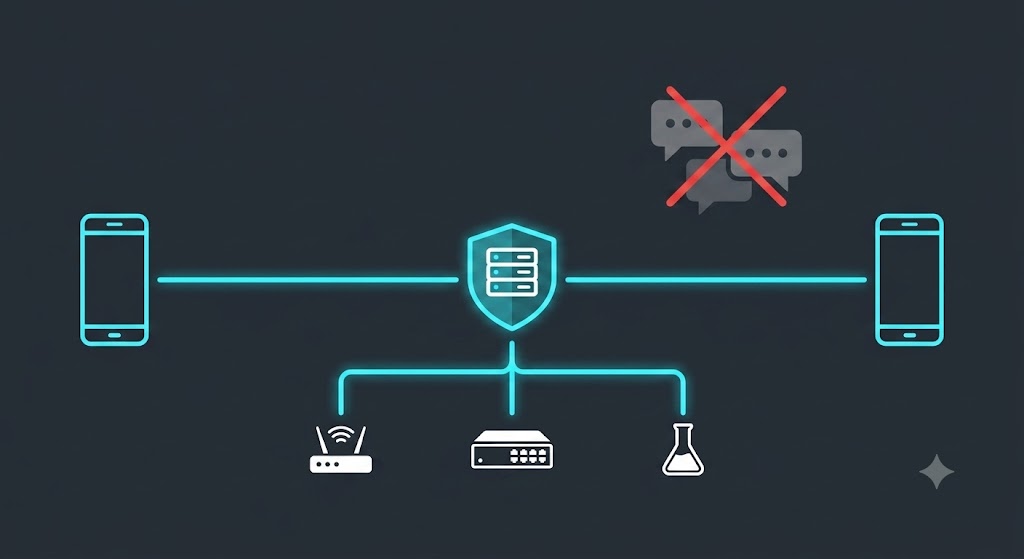
When we first federated two NetClaws over the public internet, the identity of a peer was, embarrassingly, just a string it typed on the wire: as65001-4.4.4.4. If you knew a claw’s tunnel address and its AS/router-id, you could be that claw — and everything the two agents said to each other, every delegated task and piece of network inventory, crossed the internet in the clear. Our own IETF Internet-Draft said so out loud in its Security Considerations. This week we fixed it.

What we built

Claw Certification gives every federation channel TLS encryption and real cryptographic identity, in two flavours:

  • Domain-verified. If you own a DNS name, your claw gets a publicly-trusted Let’s Encrypt certificate for it and peers verify you against the web PKI. The trick that makes this practical: issuance uses the DNS-01 challenge, so it works behind a constantly-changing ngrok tunnel with no inbound reachability and no A record. Your identity binds to the name, not the endpoint — the endpoint can churn all it likes.
  • Pinned. No domain? Your claw presents a self-signed key that the peer pins on first contact (trust-on-first-use), confirmed the same out-of-band way consent already worked. Still encrypted, still un-spoofable afterward.

Authentication is mutual and bound to the specific TLS session (RFC 5929 channel binding), so an on-path attacker can’t relay a proof. Inside a “risk” of claws, the Border is now a certificate authority: members cryptographically verify that the hub they dialed is the legitimate one — the last direction of trust the draft flagged as missing. And every credential rotates itself before expiry with an overlap window, so nothing ever drops because a cert aged out.

The satisfying part

We validated it end to end on a real domain — netclaw.automateyournetwork.ca — issuing a genuine Let’s Encrypt certificate through GoDaddy’s DNS API. That surfaced a real-world wrinkle worth sharing: GoDaddy’s new Personal Access Tokens authenticate with Bearer, which the standard ACME client’s GoDaddy plugin doesn’t speak (it wants the legacy key/secret header). Rather than tell operators “go generate a different kind of key,” we shipped a tiny hook so the token they already have just works. Small thing; exactly the kind of friction that decides whether security actually gets turned on.

Honest engineering notes

A few things went the way good engineering is supposed to go: we caught, by testing on real sockets instead of trusting the happy path, that the channel-binding primitive we first reached for isn’t available on our Python version — so we switched to one that is, with the same security property. We kept the whole feature behind a default-off switch so it couldn’t destabilize a live mesh while it was being built. And because we made certificates a prerequisite for external federation, we built the migration first: one command, preserves all your state, and an unpatched peer gets a clear “run the patch” message instead of a silent failure.

We cut over for real

This isn’t a design doc — the first claw is live on it. netclaw.automateyournetwork.ca now holds a genuine Let’s Encrypt certificate, federation runs certificate-authenticated, and the credential auto-renews. The migration even caught its own bug: the patch installer wrote config to the wrong env file and the daemon didn’t pick it up — found it, fixed it, shipped the fix. That’s the system working as intended: change, verify, correct, in the open.

Try it

Existing operators: scripts/patch-claw-certs.sh. New to peering: see the federation guide. Certificates in, cleartext out.

Written collaboratively by John Capobianco and Claude, with a security fix contributed by Josh (TunnelMind).

NetClaws, Assemble: introducing N2N Federation and the NCFED protocol

For a while now, two NetClaw instances on opposite sides of the internet have been able to find each other. They peer over BGP through ngrok tunnels — real eBGP sessions, real identity routes, a real mesh directory — and each one shows up as a glowing node in the other’s 3D HUD. It’s a genuinely fun demo: two AI network engineers, each running someone else’s lab, exchanging /32s across the planet like it’s nothing.

But that mesh only ever answered one question: who is out there. It could not answer the far more interesting one: what can they do, and can I use it?

Today it can. We’re shipping N2N Federation — NetClaw-to-NetClaw — and with it a new protocol, NCFED, that turns the mesh from a map of who’s online into a working federation of AI engineers that can discover each other’s skills, invoke each other’s tools, and talk to each other’s agents. Safely. With consent on both sides, default-deny authorization, budgets, a kill switch, and an audit trail on every hop.

This is the post about how it works, why it needed a new protocol, and why we think it’s a bigger deal than it looks.

The itch

Picture three operators. John has a Cisco Modeling Labs server and a pyATS testbed. Nicholas has CML too, but also a Meraki org and a stack of automation John’s never written. Byrn has a Batfish setup and a Forward Networks digital twin John would kill for.

They’re already mesh-peered. John’s claw can see Nicholas’s claw and Byrn’s claw in the HUD. So why can’t John just ask his own NetClaw, “hey, does Nicholas have CML? Can you list his labs? And while you’re at it, ask Byrn’s claw why its OSPF area 0 keeps flapping”?

Nothing about that is science fiction. Each claw is already an agent with tools. Each pair already has an authenticated channel. The only thing missing was a protocol to carry capability inventories, tool calls, and conversations between them — and a trust model so nobody accidentally hands a stranger the keys to their lab.

Why a new protocol?

The first instinct is to reach for something off the shelf. There are two obvious candidates, and we looked hard at both.

MCP (Model Context Protocol) is what NetClaw already speaks internally — 111 integrations, all MCP servers, all tools/list and tools/call. It’s perfect for “run this tool and give me the result.” But it’s request/response by nature. It has no vocabulary for a long-running delegated task, no streaming, no notion of “an agent asking another agent to think about something.”

A2A (Agent2Agent) is purpose-built for exactly that: agent cards for capability discovery, a task lifecycle (submitted → working → completed), streaming messages. It’s a great semantic fit. But its transport binding assumes HTTPS and a well-known discovery URL per agent — which would mean every NetClaw exposing a new public endpoint, on top of the ngrok tunnel it already has. That breaks one of our hard rules (no new inbound exposure) and doubles the endpoint churn every operator already fights with free-tier ngrok.

So neither was a drop-in. But here’s the thing that made the decision easy: both A2A and MCP are JSON-RPC 2.0 under the hood. The disagreement between them isn’t the wire format — it’s the semantics and the transport binding. And we already own a transport: the authenticated mesh channel.

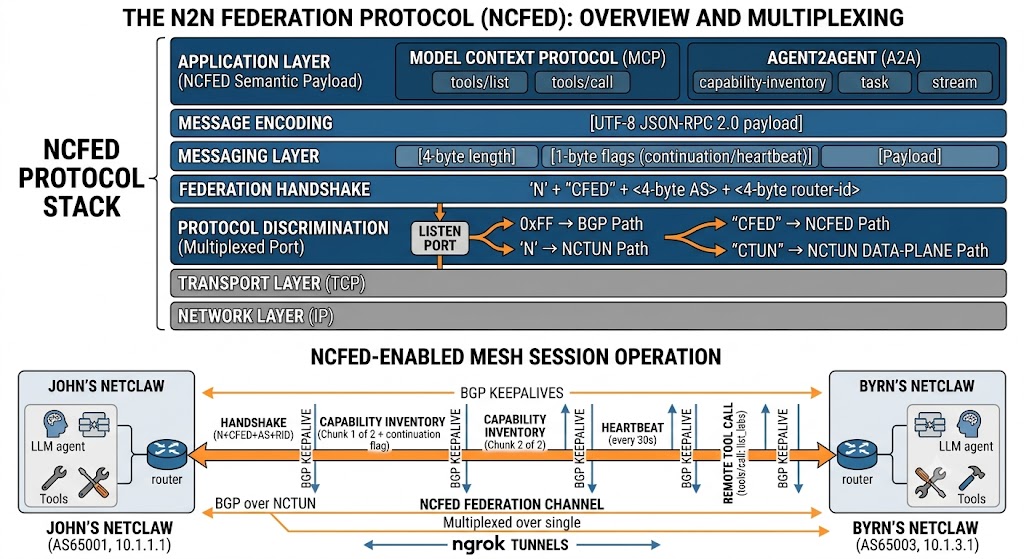
That’s NCFED. We took the semantics we wanted from each — MCP’s tools/call shape for deterministic tool invocation, A2A’s agent-card/task/stream shape for discovery, skill delegation, and chat — and bound them to a channel multiplexed over the mesh port we’re already using for BGP. Federation now works everywhere BGP works, with zero new open ports.

How NCFED rides the mesh

The NetClaw mesh daemon already does protocol discrimination on its listen port. When a TCP connection comes in, it peeks the first byte: 0xFF is a BGP marker, N is the start of our tunnel magic NCTUN. We added a third path. After the N, we read four more bytes: CTUN is the existing data-plane tunnel; CFED is a federation channel.

'N' + "CFED" + <4-byte AS> + <4-byte router-id>     ← the NCFED handshake

That’s the whole trick. No new port, no new listener, no new ngrok tunnel. A federation channel is just another kind of connection to the same endpoint BGP already dials, disambiguated by five bytes. A NetClaw running the old code never sends NCFED, so it peers over BGP exactly as before and simply shows up as “not federated.” Backwards compatibility falls out for free.

Once the channel is up, it’s framed JSON-RPC 2.0:

[4-byte length][1-byte flags][UTF-8 JSON-RPC 2.0 payload]

The one flag that matters is continuation — a capability inventory with two hundred skills doesn’t fit in one frame, so large messages chunk, and BGP keepalives interleave between chunks. A heartbeat frame every 30 seconds keeps the channel honest. Identity is the BGP identity — as65001-4.4.4.4 — which means federation survives the thing that breaks everything else in this world: ngrok handing you a different endpoint after a restart. Your identity is your AS and router-id, not your address.


The four things it unlocks

1. Capability discovery. Once two operators mutually consent, each claw advertises a signed inventory: its skills (name + description), its MCP servers and their tool names, and coarse capability badges derived from what’s installed — CML, pyATS, Meraki, Batfish, Forward. Now John can ask his own claw “what can Nicholas do that I can’t?” and get an answer instantly from cached inventory, with a freshness timestamp. The inventory is built with a hard guard: it is scanned against every value in .env before it leaves the machine, and advertisement aborts if a secret would leak. Names and descriptions travel. Credentials, device addresses, and testbed contents never do.

2. Remote invocation. “List the labs on Nicholas’s CML.” John’s claw sends a tools/call over the channel. Nicholas’s claw checks its allowlist — default-deny, so nothing runs unless Nicholas explicitly granted John that specific tool. If the grant requires approval, Nicholas gets a prompt on whatever channel he’s using (Slack, Webex, CLI) and the request waits, expiring if he doesn’t answer. If it’s allowed, Nicholas’s claw runs the tool locally, with his own credentials and his own security policies, and returns only the result. Deterministic tools execute via a direct MCP stdio call — no LLM, no token cost. Skills delegate to Nicholas’s gateway agent, which reasons under his model, his DefenseClaw guardrails, and his budget. Every attempt — allowed, denied, approved, expired, timed out — lands in an audit record on both sides.

3. Claw-to-claw chat. “Ask Byrn’s claw why its OSPF area 0 is flapping.” The question relays to Byrn’s agent, which answers with its own tools and its own knowledge, and the reply streams back attributed to Byrn’s claw — John always knows he’s reading Byrn’s answer, not his own claw’s. Per-peer enable, rate-limited, budgeted, transcribed for both operators.

4. The HUD, alive. Every remote claw node in the 3D dashboard is now expandable. Click Nicholas’s node and it unfolds: his skills, his MCP tools, his capability badges, how fresh the inventory is, and a chat box wired straight to his agent. A federated claw glows differently from a merely-peered one. Federation state updates live as consent, inventory, and severance flow through.

The trust model, because this is the scary part

Letting another operator’s AI invoke tools on your machine is exactly as alarming as it sounds, so the guardrails are not optional and not bolted on:

  • Mutual consent per peer. Nothing — not even a capability list — crosses until both operators opt in. Confirm your peer’s AS and router-id out of band first; you already coordinate ngrok endpoints in Slack, so you’re already doing this.
  • Default-deny invocation. No grant, no execution. Grants are per-peer and per-tool, with an optional human-approval gate for anything sensitive.
  • Budgets and rate limits. A peer using your claw draws against a per-peer daily budget of requests and tokens, on top of a per-minute rate limit. Nobody runs up your bill.
  • No secrets, ever. Inventories and results carry capability names and outputs — never .env contents, credentials, or testbed data. Enforced at build time and tested as an invariant.
  • Remote results are untrusted input. A result that says “now run rm -rf” is data, not a command. Your claw reasons over it; it never executes it.
  • A real kill switch. Sever a peer and N2N stops in under ten seconds — capability exchange, invocation, chat, all of it — while the BGP session stays up and routes keep flowing. Federation and connectivity are decoupled on purpose.
  • Dual-side audit. Both claws record who asked, what ran, when, and what came back.

Where this goes

Here’s why we think this is bigger than a neat trick. Every NetClaw is a specialist shaped by whoever runs it — their vendors, their labs, their hard-won skills. Federation makes that specialization composable without anyone surrendering control of their infrastructure. A CML expert’s claw can drive labs for a team that has none. A shop with a Forward Networks twin can answer path-analysis questions for peers who don’t. An on-call engineer at 3 a.m. can ask a peer’s claw — the one that actually knows that network — instead of paging a human. And it’s all mediated by agents that speak the same protocol, enforce the same consent, and write the same audit trail.

We built this the way we build everything in NetClaw: spec first, then plan, clarify, tasks, and implementation, with the whole thing tested on a two-daemon loopback before it ever touched the live mesh.

The mesh used to tell you who was out there. Now it tells you what they can do — and lets you, carefully and on both operators’ terms, actually use it.

NetClaws, assemble.


Written by John and Claude. NCFED, the N2N federation layer, and the HUD federation view were designed and implemented collaboratively — spec through deploy — as feature 052.


Part 2: Making the mesh hold — it actually works now (feature 053)

The post above ends with a working demo. Then we reached for something bigger — have one operator’s claw rebuild another operator’s entire CML lab over N2N — and the whole thing fell apart. Not because the protocol was wrong, but because the operational envelope was paper-thin. Nearly every session broke on one of: a long remote operation dropping mid-flight, a dead channel after a peer restart, an ngrok endpoint that moved on restart, a version difference between claws, or a timeout mismatch swallowing a completed answer.

That’s the tell: the protocol was sound; the resilience wasn’t there yet. Getting a working answer meant a human babysitting every restart. So we wrote spec 053 — reliability and ergonomics only, with the proven NCFED core frozen — and built six things.

1. Async task delegation — the headline. Long remote operations are no longer one blocking call. You submit a task and get a task_id in seconds; the peer runs it in the background; you poll short status calls and fetch the result when it’s done. No single call is ever long enough for ngrok to kill it.

> "Have Nick's claw recreate my NetClaw-Full-Topo lab in his CML."

n2n_delegate(peer="as65007-7.7.7.7", target_name="cml-lab-lifecycle", input="<10-node build spec>")
  => { task_id, state: "submitted" }        # returns in ~2 seconds

n2n_task_status(task_id)  => working - "nodes 4/10"
n2n_task_status(task_id)  => working - "links 12/12, pushing configs"
n2n_task_result(task_id)  => completed - "lab up, OSPF adjacency formed"

Task state is persisted, so the result survives a channel drop and a daemon restart mid-build.

2. Channel auto-reconnect. A background supervisor watches every federated peer. When a channel dies, it’s detected, the zombie is deregistered, and it re-establishes automatically from persisted consent with bounded backoff. A peer restart heals itself in under a minute, no human action.

3. Endpoint auto-re-announce. When your ngrok endpoint moves on restart, your claw announces the new one to federated peers over the still-live session and they re-dial automatically — validated only over the authenticated session, so it can’t be spoofed. The manual host:port dance in Slack is gone.

4. Capability negotiation. Peers exchange a small capability descriptor in the hello handshake — protocol version, which agent CLI flag they support, which reply shapes they emit — and each side adapts. A claw on an older build degrades gracefully instead of breaking. The –session-key vs –session-id skew that broke a whole afternoon is now just a negotiated field.

5. Robustness hardening. The live hot-patches became first-class, regression-tested requirements: the client always outlasts the server’s own timeouts; reply parsing tolerates a trailing log line after the JSON; the HTTP layer reads the full body even across TCP segments; missing fields return typed errors.

6. Health and one-step setup. n2n_health (and the 3D HUD claw node) show per-peer channel state, last-seen, endpoint freshness, and in-flight tasks with live progress. The old five-step setup collapsed into n2n_connect (add + consent + dial) and n2n_trust (consent + grants + chat).

It actually works — CML and Nautobot across the internet

On the live three-claw mesh — John (AS 65001), Nick (AS 65007), Byrn (AS 65099) — over nothing but N2N federation:

John’s claw asked Nick’s claw about its CML, and got the real answer:

Nick's CML labs - count: 1
Lab                                    State     Nodes
NetClaw OSPF 2R - 20260702-033650Z     started     2

That traveled the full path: John’s claw to the NCFED channel to Nick’s claw running its own CML query with Nick’s own credentials, and back. No shared credentials, no John touching Nick’s CML — pure federation. Nick runs a different model (gpt-5.5) on a different OpenClaw build, and negotiation made the reply come back clean anyway. Byrn’s claw answered a Nautobot query the same way, peer-side under his own policies.

Then we tested the thing that matters most: it survives a reboot. After a full restart, John’s claw came back on the hardened code and both peers re-federated cleanly — Nick at his new address, Byrn at his — channels up, inventories fresh, via a single one-step connect. And as this was being written, John’s claw was teaching Nick’s claw the pyATS testbed for the CML lab they’d just cloned across N2N — one AI network engineer onboarding another, over a protocol that now holds.

What made it trustworthy: tests that fail first

Forty-four automated tests cover the federation layer, most driving two services over an in-memory channel pair, asserting the guarantees — submit returns fast while the op runs long, a result survives a channel drop and a daemon restart, a dead channel self-deregisters, a completed answer is never lost to a timeout mismatch, a pre-053 peer still federates. One of them immediately caught a missing import in the reconnect supervisor that would have silently prevented every auto-reconnect in production. The whole point of hardening is catching the thing that fails quietly.

A community of federated AI network engineers is only as good as its worst 3 a.m. failure mode. Spec 053 is the unglamorous work that turns a great demo into something you’d actually leave running. Three claws, three machines, three different models — discovering, querying, and delegating to each other across the internet, and healing themselves when one blinks. The mesh holds.

Next: an internal-clutch model (iN2N) for focused single-operator claw fleets. But first — the CML lab clone that started all this now completes, cleanly, over the mesh. Feature 053, built spec-through-implement over a live three-claw mesh, with a sharp –session-id catch from Nick and a client-payload PR from Byrn.

Giving NetClaw Eyes and Hands: From Browser Control to Full Desktop Control

Most of what NetClaw does, it does through APIs — gNMI, REST, NETCONF, GraphQL. That’s the right way to automate a network: structured, auditable, repeatable. But real networks are messy, and not everything worth touching has a clean API behind it. Some of the most useful information lives behind a login screen in a vendor’s web dashboard. Some of it lives in an old desktop application that has never had an API at all. So over two features, I gave NetClaw a way to reach both.

Part 1: Teaching NetClaw to Drive a Browser

SDN controllers, in particular, have a habit of putting real operational data — bridge domain status, tenant health, a specific alarm — behind a GUI-only report that the REST API simply doesn’t expose. You can see it in the dashboard. You can’t query it. That’s the gap Chrome DevTools MCP closes.

I integrated the official chrome-devtools-mcp server (built by the Chrome DevTools team) and wrote a skill, browser-gui-inspect, with one non-negotiable rule: read, confirm, and search only — never submit a configuration change. If a task needs to actually change something, that belongs to NetClaw’s proper API-based skills, with their observe → baseline → modify → verify workflow and ITSM change-request gating. The browser is for reading what the API won’t show you, not for sneaking a config push around the guardrails.

The part I actually wanted, though, was Watch Mode. By default the browser runs headless — no visible window, just NetClaw reading the page. But say the word, and NetClaw spins up a real, visible Chrome window instead — wherever NetClaw happens to be running. Ask it over Slack to log into a demo NetBox instance and create a new site, and you can watch it happen, live, click by click. It’s the difference between trusting a report and watching the work.

Getting there took a real bug fix, too — running this live, NetClaw hit a wall because Chrome wasn’t installed in the path the tool expected. Rather than patch around it once, I built Chrome provisioning directly into the installer, so it self-heals on any machine — Linux, WSL2, or Mac — without anyone needing to know where Chrome “should” live.

Part 2: Teaching NetClaw to Drive an Entire Desktop

Browser control solves the web-GUI gap. But some of the oldest, most stubborn tooling in networking and security has no web GUI and no API — just a native desktop application. A legacy Java-based NMS client. A vendor’s Windows-only configuration utility. A terminal emulator with no scriptable interface at all. Browser automation can’t touch any of that, because there’s no browser involved.

That’s where Computer Use comes in — OpenClaw’s own full-desktop automation capability. Instead of a browser, NetClaw now gets a real virtual desktop: Xvfb and XFCE running headlessly on the NetClaw host, driven by xdotool for real mouse movement, clicks, drags, keyboard input, and screenshots. Seventeen actions in total. It’s the same idea as browser control, one layer down the stack — instead of controlling one application (Chrome), NetClaw controls the whole screen.

I wrapped this in a new skill, desktop-gui-inspect, with the exact same golden rule as its browser sibling: reading and confirming state only, never a side door around the real change-management workflow. And it gets the same Watch Mode, too — a VNC/noVNC live-viewing service so an operator can watch NetClaw operate the virtual desktop in real time, or take over the mouse and keyboard themselves if a step needs a human (an interactive first-run license dialog, say).

Building this one live surfaced two real bugs before they ever shipped. First: the virtual desktop’s live-viewing service, by default, listens on every network interface — not just localhost. That’s full desktop control exposed to anyone who can reach the port. I caught it with a plain ss -tlnp check during testing, and the installer now locks it to loopback-only automatically, verifying the fix on every install rather than just hoping it stuck. Second: the installed skill’s own action scripts weren’t executable out of the box — every single click or keystroke failed with a permission error until that got fixed too. Neither of these is a hypothetical “best practice” — they’re bugs a live desktop, with a real terminal window and a real typed command, exposed in the first ten minutes of testing.

The Pattern

Two features, one shape: give NetClaw a controlled way to see something the APIs can’t reach, make sure it can never use that access to make an unaudited change, and always give the human a window to watch — or take the wheel. Browser control and desktop control aren’t a replacement for API-driven automation; they’re the fallback for when a legitimate answer only exists on a screen, wherever that screen happens to live.

I Rebuilt a Real Cisco Network as a 3D World — Inside NetClaw’s New Unreal Engine 5.8 Integration

The Achievement

NetClaw — my AI network engineer — just gained a body. Not a metaphorical one. A literal, walkable, three-dimensional one, built inside Unreal Engine 5.8.

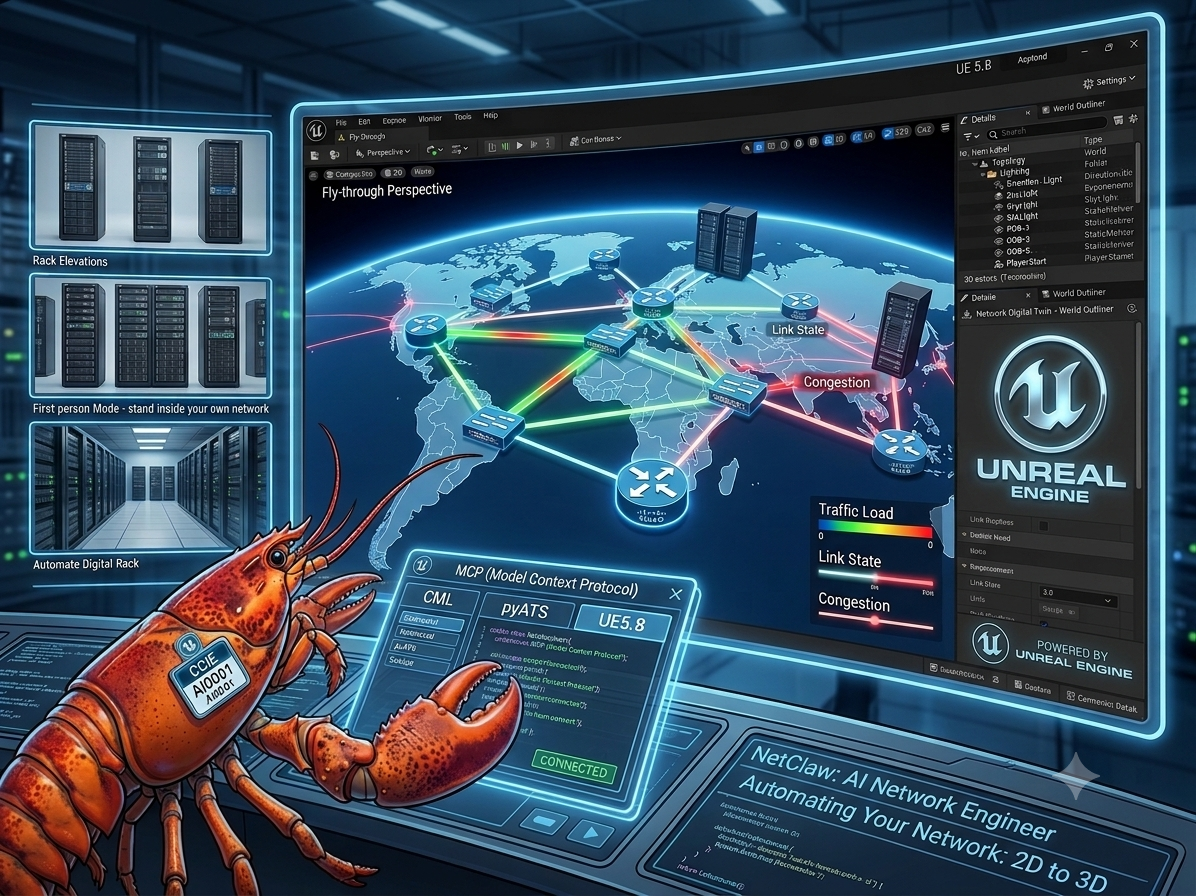
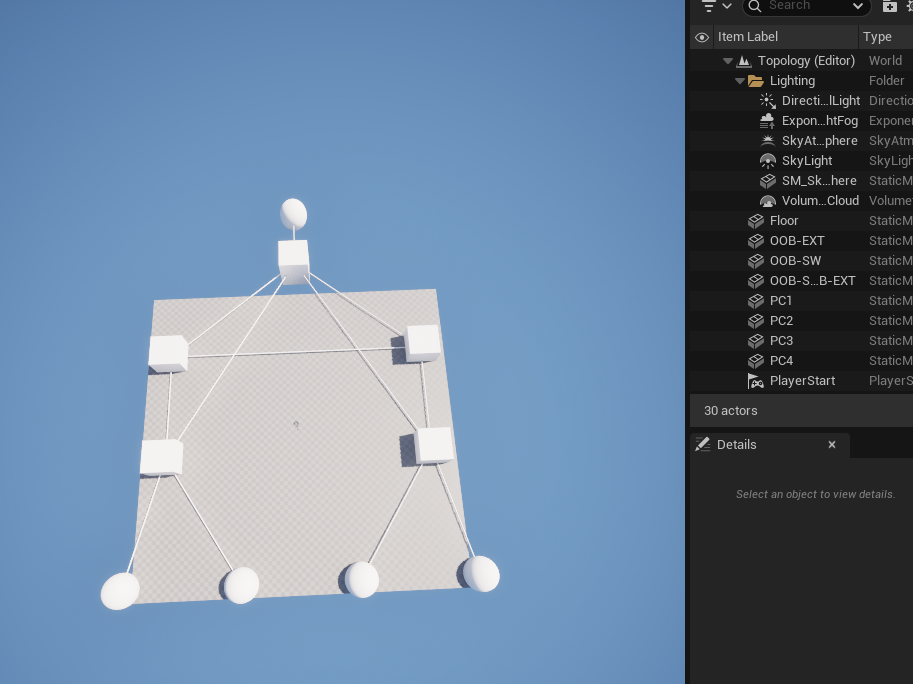
Here’s what that actually means: I pointed NetClaw at a real lab running in Cisco Modeling Labs (CML). NetClaw used pyATS to gather live device state from that lab — the routers, the switches, the links between them, their health. Then, using nothing but the Model Context Protocol (MCP) and Unreal Engine 5.8’s own built-in MCP server, NetClaw reconstructed that exact topology as a fully rendered 3D scene — devices as objects in space, links as glowing connections, colors mapped to device type and health, laid out automatically with a force-directed algorithm and centered on the map.

No human touched a single actor in the scene. No one dragged a node, ran a cable, or set a color. NetClaw talked to three separate systems — CML, pyATS, and Unreal Engine — over MCP, and built the world itself.

This is a new composable skill for NetClaw: ue5-network-viz. And it’s not a one-off demo — it’s a reusable pipeline. Any topology NetClaw can see through CML, pyATS, gNMI, SuzieQ, or any of its other network-data MCP servers can now be rendered as a living 3D scene in Unreal Engine.

Why This Matters — The Bigger Picture

Network diagrams have looked the same for 40 years: boxes and lines on a 2D canvas — a whiteboard, a Visio file, a NetBox topology view. They’re static the moment they’re drawn, and they go stale the moment someone racks a new switch or re-patches a link. We’ve been representing something inherently physical and spatial — racks, cables, rooms, buildings, campuses — as flat, lifeless diagrams.

That’s what changes here.

Once a network exists as real objects in 3D space instead of shapes on a page, a whole category of things becomes possible that was never possible with a flat diagram:

  • Fly-throughs. Don’t squint at a topology export — fly through your network like a level in a game, camera gliding between core, distribution, and access layers.
  • Live traffic flow visualization. Imagine packets rendered as moving light along the links, real interface utilization shown as flow intensity, congestion visibly building on a saturated trunk in real time.
  • Color and light as telemetry. Device and interface health rendered as actual color and glow in a 3D scene instead of a row in a spreadsheet or a red dot on a dashboard.
  • Rack and elevation views, to scale. Generate an accurate 3D rack elevation automatically from live inventory data — see exactly what’s mounted where, without opening a spreadsheet.
  • Walkable wire maps. Every cable, every port, spatially accurate and traceable by literally walking along it.
  • First-person exploration. Drop into first-person view and stand inside your own network — walk the server room, walk the campus backbone, walk a topology that doesn’t even physically exist yet because it’s still in a lab.

And critically — this doesn’t stop at lab environments. The exact same pipeline that rebuilt this CML lab as a 3D world can rebuild a real, production network the same way: pull live state from real devices, and render a true 3D digital twin of a real data center, campus, or site. Virtual labs and real infrastructure become the same kind of object once they’re described the same way — as data flowing through MCP into a 3D engine.

We are not far from the point where “monitoring the network” means literally walking through it.


For the Technically Curious — Hurdles Faced

I want to be upfront about something before diving into the technical details: this took longer than it should have, and it wasn’t because the integration itself was hard. It was because I was building this on a PC that started showing real instability under the combined load of Unreal Engine 5.8, live rendering, and an AI agent hammering it with MCP tool calls. This is a heavy workload — a full game engine, a live editor session, real-time actor spawning and transform updates, screenshot capture, all while a separate process (NetClaw) is issuing dozens of MCP calls per topology build. My machine crashed, repeatedly, mid-build, more than once wiping out an in-progress scene and forcing a full restart of both Unreal Engine and the session. If you attempt this yourself, budget real headroom on GPU and system stability — this is not a lightweight integration to run on marginal hardware.

Setup, Step by Step

For anyone who wants to reproduce this, here is the exact order that worked:

  1. Create an Epic Games account and install the Epic Games Launcher. This is the gate to everything else — Unreal Engine itself is distributed through the launcher, not as a standalone installer.
  2. Download and install Unreal Engine 5.8 through the launcher. This is a large install — allow real time and real disk space for it.
  3. Install the MCP Plugin — and note, there are two of them. Unreal Engine’s plugin ecosystem currently has more than one MCP-related plugin available; make sure you install the one that exposes the actual ModelContextProtocol server subsystem (the built-in MCP integration), not a third-party alternative with different tool coverage. Enable it from Edit > Plugins inside the editor and restart when prompted.
  4. Find “All Tools” in the plugin’s settings and enable it for full Read/Write access. By default, the MCP plugin exposes a curated, limited subset of tools. There is a specific “All Tools” toggle that unlocks the entire tool surface — all 55 tools — with read/write access, instead of a read-only or partial subset. Without flipping this on, most of what NetClaw needed to do (spawning actors, setting transforms, applying materials) simply is not available to call.
  5. Start the MCP server from the in-editor console with:
    ModelContextProtocol.StartServer

    Which produces output like:

    LogModelContextProtocol: Starting MCP server on port 8000 (override with -ModelContextProtocolPort=N).
    LogModelContextProtocol: Warning: Data transmitted via this plugin to your connected LLM service is Licensed Technology under the UE EULA. You are responsible for ensuring your LLM provider does not use it as training input. See Section 6(e) of the UE EULA for full terms.
    LogHttpServerModule: Starting all listeners...
    LogHttpServerModule: All listeners started

    That EULA warning is worth actually reading — it’s a real legal note about how data flowing through this plugin to your LLM provider is treated, not boilerplate to skip past.

The Real Bugs — What Actually Broke, and Why

Once the server was up and NetClaw could talk to it, the real work started, and it surfaced a run of genuine bugs that no amount of reading documentation would have caught — they only showed up under live, repeated use against real UE5.8 builds:

  • Tool-calling convention was wrong. The obvious assumption — call tools using a fully-qualified toolset.method_name string — silently failed. Some builds only accept the short tool name. Worse, the failure came back looking like a generic “Unknown tool” response that could be misread as a successful no-op rather than a hard failure, so the very first version of this integration was quietly failing every call while reporting green.
  • Batch scripting isn’t universal across UE5.8 builds. The fast path for building a topology was supposed to be a single batched execute_tool_script call that spawns every actor at once using Python inside Unreal. On some UE5.8 builds, that path is locked down and forbids import unreal inside the script entirely — the fast path simply cannot run. The fix was to detect that failure mode and fall back automatically to a slower, proven per-actor build path, rather than assuming one code path works everywhere.
  • The HTTP transport would hang on a connection that was already done. Some MCP responses come back over a Server-Sent-Events stream that stays open as a keep-alive even after the real answer has already arrived. The original client waited for the entire HTTP body to close before returning — which meant it could sit there for the length of a full timeout even though the actual answer showed up in under half a second. The fix was to read the stream line by line and stop the instant a complete JSON-RPC object is seen, rather than waiting for the connection itself to close.
  • Setting a transform could silently wipe fields you didn’t touch. Calling the actor-transform tool with, say, only a new scale value, could reset that actor’s location back to the world origin on some builds — despite the tool’s own documentation claiming untouched fields are left alone. The only safe pattern found was to always pass location, rotation, and scale together, every single call, never partially.
  • Nothing re-centered the topology as a whole. The force-directed layout algorithm kept individual nodes from overlapping and kept them within bounds, but nothing corrected the topology’s overall center of mass — so a build could quietly drift off the map origin over successive layout passes. A centroid-correction step after layout fixed this.
  • A false-positive success check. A verification step used a pattern like sum(device_counts) or len(expected_specs) — which is a classic Python trap: if the real count comes back as zero (a genuine failure), the “or” silently falls back to the expected count and reports success anyway. Removed the fallback so a real zero stays a real, visible zero.
  • Some tool responses come back as strings, not structured data. The tool for finding existing actors in the scene returned a raw JSON string instead of an already-parsed list/dict on certain builds — meaning code that expected to iterate a list would instead iterate the characters of a string. The client now tolerates both shapes.
  • The package’s own import chain was broken from day one. Every submodule inside the skill used plain absolute imports, while the package’s own __init__.py used relative imports — meaning the documented entry point, from workspace.skills.ue5_network_viz import ..., had never actually worked, in any prior session, before this pass. Fixed with a dual-mode import shim and verified both the package-style and path-style import actually succeed.

None of these are exotic bugs. They’re the ordinary, unglamorous cost of integrating against a real, evolving third-party plugin surface rather than a stable, versioned API — and every one of them only became visible by actually running the thing against a live editor, over and over, through crashes and restarts, until it worked cleanly end to end.

From Lab to Your Own Setup

If you’re running NetClaw already and want this capability, there are two paths in:

  • Existing installs — pull the update and run the UE5 patch installer, which drops the new ue5-network-viz skill and MCP server registration into your existing NetClaw workspace without touching anything else.
  • Fresh installs — it’s included by default; just make sure you complete the Unreal Engine 5.8 setup steps above first.

Either way, the remaining steps are the same: fill out the UE5_MCP_URL entry in your .env file (defaults to http://127.0.0.1:8000/mcp, matching the port the editor’s MCP server starts on), make sure Unreal Engine 5.8 is running with the MCP server started, and you’re ready to interface with it directly through NetClaw.

From there, it’s just another composable skill. Ask NetClaw to pull a topology from CML and pyATS and render it in Unreal Engine, and it chains the calls itself — gather state, lay out the graph, spawn the actors, apply the materials, frame the camera, and hand you back a live 3D scene built from real data. The same composability that lets NetClaw chain gNMI, SuzieQ, GitLab, or PagerDuty into a single conversation now extends into a full 3D engine.

What’s Next

This is Day 1 of representing networks in three dimensions instead of two. Traffic-flow visualization, live health-driven color and light, automatically generated rack and elevation views, walkable wire maps, first-person exploration of your own infrastructure — all of it sits on top of the same foundation shipped here. The hard part — proving an AI agent can reliably drive a real 3D engine over MCP, using real network state, with zero human placement — is done.

I’m genuinely proud of this one. Full code and the incident log of every bug above is in the pull request on GitHub.

What how it was made here: